Apply Security When Saving Files
You can also apply file-level SecuritySecurity happens at many levels in Worldox. Simple, per-document access can be set within the main Worldox program. Other security functions – controlling access by group, feature, ethical walls and other means – are set by Worldox Administrators. Security is controlled by blocks and allows, and may be integrated with the Windows Active Directory feature. in the File Save form. Profile the document, and then click the Add Security  button.
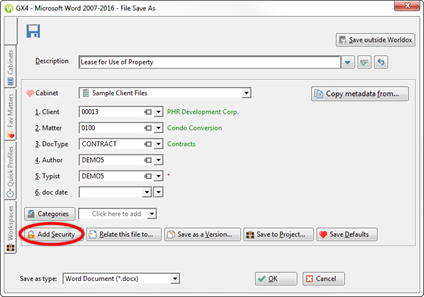
The File> Security dialog appears. You can use steps to apply security as described in Apply Security to a File.