 icon.
icon.
To see the list of versions available for a document:
Locate the file you want to view. Use Find, Direct Access, Cabinets, Bookmarks, Favorites, Favorite Matters or Workspaces to quickly find file lists and files.
In the file
list, tap a file to select it and then tap the Information
icon.
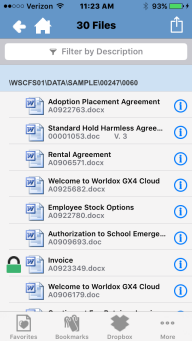
The file's Details screen appears. If the file has multiple versions, you can see list of available versions by touching the Version text near the bottom of the Profile pane.

A list of versions will appear.

