Print Security Groups and Ethical Walls Information from WDADMIN
You can now print reports with details about Worldox Security Groups and Ethical Walls.
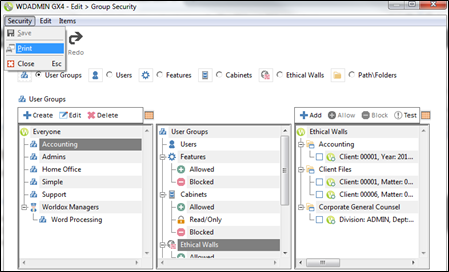
Launch WDADMIN and select Edit > Group Security.
Click the User Groups or Ethical Walls radio buttons. From the Security menu, select Print.
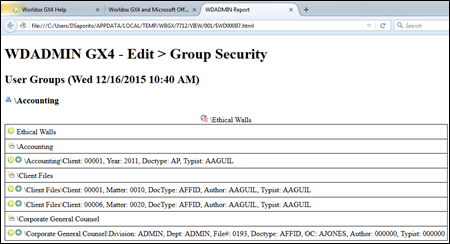
A WDADMIN Report is launched in your default Web browser to show details about the Group Security or Ethical Walls you printed.