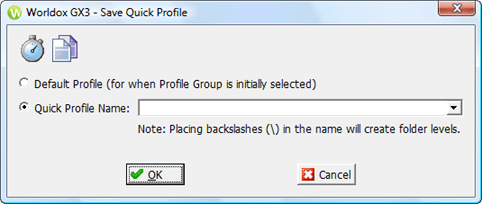
Used in saving current profile field settings as a new quick profile.
Taking action
• Select Default Profile if you want this quick profile to load automatically every time the action associated with this quick profile (move, save, et al.) is initiated.
• If otherwise, select the Quick Profile Name choice. Enter a short, easily-remembered name for the quick profile. Use a backslash in the name if you want to organize quick profile listings into folders.
Note: If you see this dialog as part of copying or moving email, Worldox notifies you on this dialog that the completed quick profile will now appear in your Email folder list.